How to check virtio-win drivers version on Windows guest
Environment
- KVM-based hypervisor
- Windows guest
- Virtio-win drivers
Issue
How to check what is the current version of virtio-win drivers on Windows guest?
Resolution
To get the virtio-win drivers version from the command line, run the following command in PowerShell:
Get-CimInstance Win32_PnPSignedDriver | Where-Object {$_.Manufacturer -like "*Red Hat*"} | Select-Object DeviceName, DriverVersion, DriverDate

DeviceName                                  DriverVersion     DriverDate
----------                                  -------------     ----------
QEMU FwCfg Device                           100.100.104.27100 1/13/2025 3:00:00 AM
VirtIO Input Driver Helper                  100.101.104.28400 7/8/2025 3:00:00 AM
VirtIO Input Driver                         100.101.104.28400 7/8/2025 3:00:00 AM
VirtIO Balloon Driver                       100.102.104.29400 12/8/2025 3:00:00 AM
Red Hat VirtIO SCSI controller              100.102.104.29500 1/21/2026 3:00:00 AM
Red Hat VirtIO SCSI controller              100.102.104.29500 1/21/2026 3:00:00 AM
Red Hat VirtIO SCSI controller              100.102.104.29500 1/21/2026 3:00:00 AM
Red Hat VirtIO SCSI controller              100.102.104.29500 1/21/2026 3:00:00 AM
Red Hat VirtIO SCSI controller              100.102.104.29500 1/21/2026 3:00:00 AM
Red Hat VirtIO SCSI controller              100.102.104.29500 1/21/2026 3:00:00 AM
Red Hat VirtIO SCSI controller              100.102.104.29500 1/21/2026 3:00:00 AM
VirtIO Serial Driver                        100.101.104.28400 7/8/2025 3:00:00 AM
Red Hat VirtIO SCSI pass-through controller 100.102.104.29500 1/21/2026 3:00:00 AM
Red Hat VirtIO Ethernet Adapter             100.102.104.29400 12/8/2025 3:00:00 AM
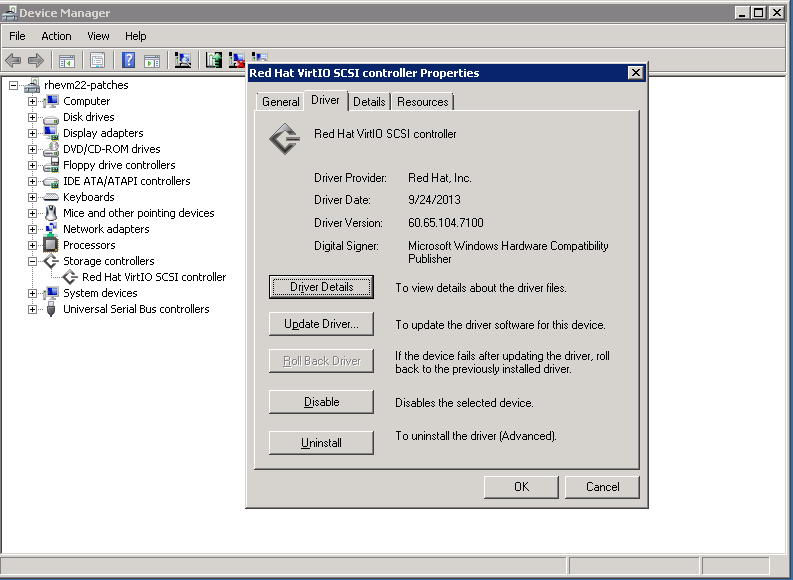
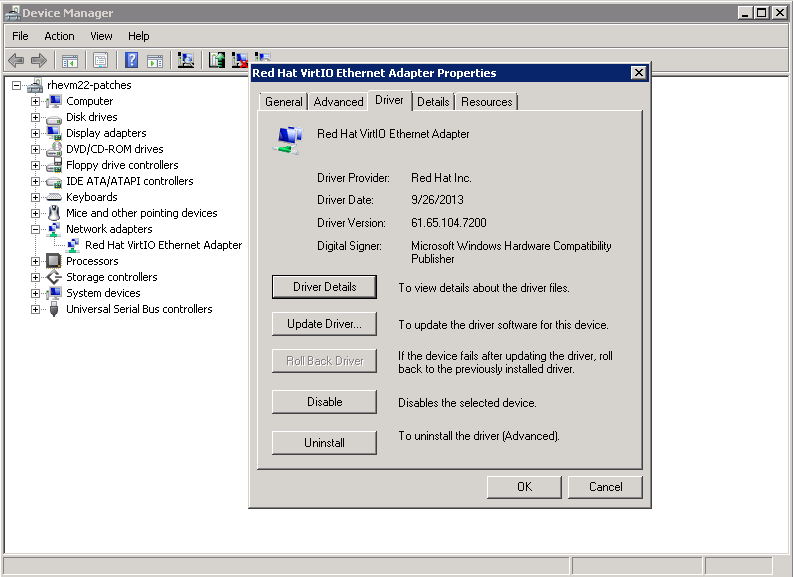
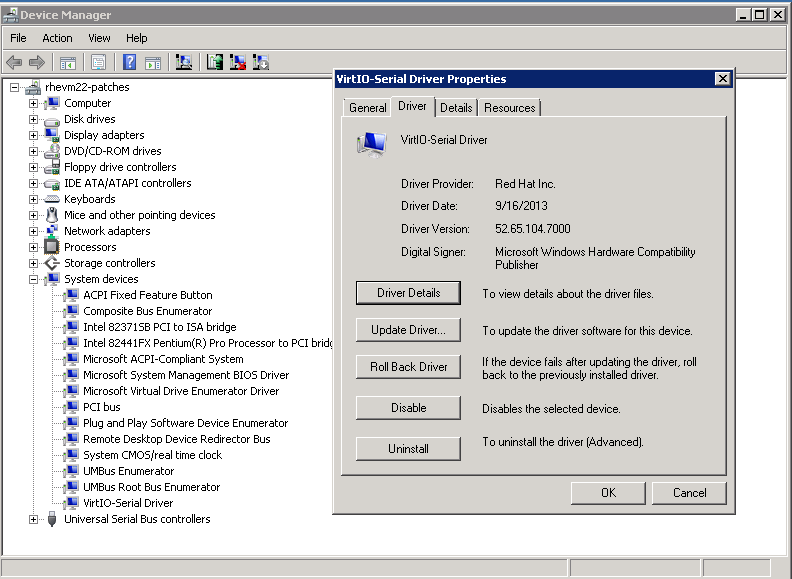
In order to get the same information from the GUI, follow next steps.
1. Open Device Manager:
-> Start -> Run -> type: `devmgmt.msc` -> Enter
2. Find the required device on the tree on the left and double-click. [1]
3. On the Device Properties Dialogue box select "Driver" tab and the details are there.
See examples below.
For guidance on which virtio-win package to install for your Red Hat Enterprise Linux release, and how to always obtain the current supported driver build (rather than relying on a static version table), see Installing and managing Windows virtual machines in the RHEL documentation. Equivalent chapters exist for RHEL 8 and RHEL 10. Running dnf upgrade virtio-win on the KVM host always installs the current supported virtio-win package for that release.
This solution is part of Red Hat’s fast-track publication program, providing a huge library of solutions that Red Hat engineers have created while supporting our customers. To give you the knowledge you need the instant it becomes available, these articles may be presented in a raw and unedited form.